
The Git-based translation management system
Translations are files in your repo. Your coding agent translates them with your code as context. It runs inlang check, fixes failures and opens a pull request. Translators edit in Fink, a web editor. Open source. Nothing to host.
- translate
- check
- fix
- open a pull request
- Open source
- Nothing to host
- Agents need no account or API key




 Lovable
20.8M npm downloads of @inlang/sdk in 12 months
What is a translation management system?
A translation management system (TMS) stores an app's translations and manages how they are edited and reviewed.
Most TMSs are hosted web apps. inlang keeps translations as files in your repo, where AI agents can read, edit and check them.
inlang check finds errorsAI agents handle your translations, with guardrails
inlang check finds errors and the agents fix them. CI runs the same check on every pull request. You review and merge.
You ask your coding agent in plain words.
The agent writes the translations into your repo.
The check finds a missing {name}. The agent adds {name}.
inlang checkpassedCI runs inlang check on the pull request. You review and merge.
Translators edit in the browser
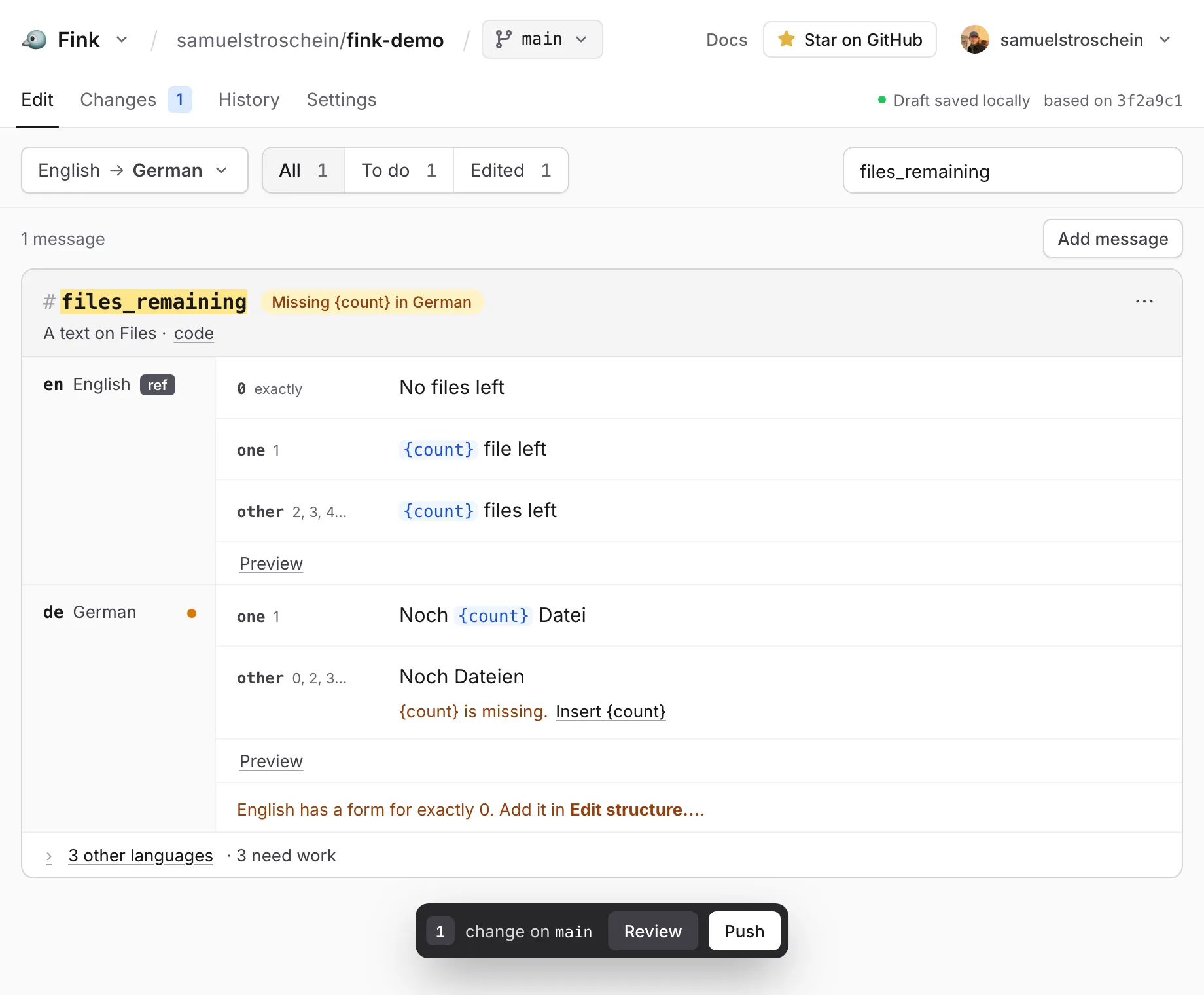
Fink is a web editor for translators. They need a free GitHub account, not Git. They edit all languages side by side. Fink pushes the changes to a branch. You review them in a pull request. Only edited messages change.
Plugins for any translation format
Plugins import and export your translation files. Pick the plugin for your format, or write your own for a format that is missing.
- i18next
- next-intl
- ICU MessageFormat
- Apple .strings, .xcstrings
- Android XML
- JSON
- + your format
A tool for every localization need
The inlang ecosystem has tools for translators, developers, designers and CI. They all work on the same project.inlang folder in your repo.
 Web appFinkA web editor for translators. It saves changes to your repo.
 VS Code extensionSherlockSee and edit translations next to your code.
- Figma pluginParrotTranslate Figma designs with your project's messages.
 i18n libraryParaglide JSCompiles messages into typed functions. Ships only the messages a page uses.
 Command lineinlang CLIRuns checks in CI and adds machine translations.
- { }Build your ownSDKRead and write inlang projects from your own code.
Adoption
Weekly npm downloads of @inlang/sdk · 1.4M last week
When to use inlang
Use inlang if
- Your app's text lives in your repo: i18next, next-intl, Paraglide JS, JSON, iOS or Android files.
- Developers and AI agents do most of the translation work.
- You want translation changes reviewed in pull requests and checked in CI.
Use Crowdin or Lokalise if
- You manage agencies or freelancers in one tool.
- Your translators cannot use a GitHub account.
- Your text lives in a CMS, not in code.
FAQ
- Which AI agents work with inlang?
- Any coding agent that can edit files and run a command, like Claude Code, Codex or Cursor. The agent edits the translation files and runs npx @inlang/cli check --format json. No inlang account or API key.
- How good are agent translations?
- Agents translate with your code and a glossary file in your repo as context. Generic machine translation has no such context. inlang check catches missing and empty translations, missing variables, missing plural forms and unused messages. People review the wording in the pull request.
- How do I move from Crowdin or Lokalise?
- Export your translation files into your repo in a format a plugin reads, for example i18next JSON. inlang reads them directly. Copy your glossary into a file in your repo so the agent can read it.
- Does inlang have translation memory and glossaries?
- Your translations are the memory. Agents reuse the translations in your repo and follow a glossary file you keep there. There is no separate database to sync. inlang Cloud may add hosted versions if there is demand.
- Do translators need Git or a GitHub account?
- No Git. To save changes in Fink, translators need a free GitHub account. Without write access, they push to a fork and open a pull request.
- How is inlang different from Crowdin or Lokalise?
- Crowdin and Lokalise keep translations in their database and sync them to your repo. inlang keeps them in your repo. Use Crowdin or Lokalise if you manage agencies or freelancers in one tool.
- Do I have to change my files or i18n library?
- No. Plugins read your existing files. Paraglide JS is inlang's own i18n library for new projects.
- Is inlang free?
- Yes. inlang, the CLI, Paraglide JS and the plugins are open source. You need no inlang account. You host nothing.
Keep your translations in your repo.
Free and open source. Works with i18next, next-intl, ICU and JSON.
Get started